


The 24/7 AI Customer Service Setup Guide is a practical, implementation-focused guide that shows you how to build an always-on customer support system using AI. Learn how to automate responses, maintain your brand voice, and deliver fast, reliable support—without hiring a large team or working around the clock.
Step-by-step AI setup processto create a 24/7 automated support system.
Smart response frameworksfor handling FAQs and customer interactions effectively.
Human handoff strategiesto ensure complex issues are handled seamlessly.
Instant PDF download • Secure checkout • 7-day refund
12 people bought this product today
This item:The 24_7 AI Customer Service Setup Guide
$7.00Original price was: $7.00.$5.60Current price is: $5.60.
$7.00
Frequently bought together to increase results. Buy 2+ and Save 15%
The 24/7 AI Customer Service Setup Guide provides a clear, structured system for building an always-available customer support engine using AI tools. It shows you how to automate responses, reduce workload, and still maintain a personalized, high-quality customer experience. Ideal for entrepreneurs, startups, and small teams looking to scale support without scaling costs.
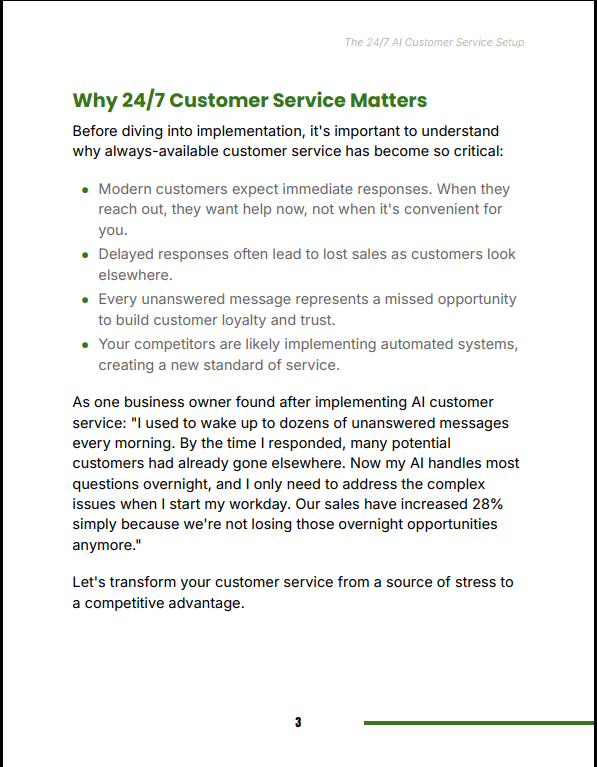
Customers today expect instant responses, and delayed support often leads to lost sales and reduced trust. The 24/7 AI Customer Service Setup Guide helps you eliminate response delays by building a system that works continuously in the background—answering questions, guiding customers, and improving satisfaction while you focus on growth.
Features
Actionable setup guide with clear implementation steps
AI response templates for common customer scenarios
Automation workflows to reduce manual workload
Scalable system design for growing businesses
Who This Book Is For
Entrepreneurs and small business owners
Online store and digital product sellers
Startups looking to scale support efficiently
Anyone tired of answering the same customer questions repeatedly
Format & Delivery
Instant PDF download after purchase. The book link is sent to your email and can also be accessed in the My Books page.
Sample
Read a free sample chapter above.
Customer Guarantee
LearnStalk Promise: Instant PDF access • 7-day refund • Support via messaging. If you don’t see clear value, contact us and we’ll resolve it.
FAQs
How will I receive the book? Instant PDF link after purchase; check spam if you don’t see the email. It can also be accessed in My Books page.
What formats? PDF (standard).
Refunds? 7-day refund policy. Contact support with your order number.
Used to determine whether a user is included in an A / B or Multivariate test.
18 months
_ga
ID used to identify users
2 years
_gali
Used by Google Analytics to determine which links on a page are being clicked
30 seconds
_ga_
ID used to identify users
2 years
_gid
ID used to identify users for 24 hours after last activity
24 hours
_gat
Used to monitor number of Google Analytics server requests when using Google Tag Manager
1 minute
_gac_
Contains information related to marketing campaigns of the user. These are shared with Google AdWords / Google Ads when the Google Ads and Google Analytics accounts are linked together.
90 days
__utma
ID used to identify users and sessions
2 years after last activity
__utmt
Used to monitor number of Google Analytics server requests
10 minutes
__utmb
Used to distinguish new sessions and visits. This cookie is set when the GA.js javascript library is loaded and there is no existing __utmb cookie. The cookie is updated every time data is sent to the Google Analytics server.
30 minutes after last activity
__utmc
Used only with old Urchin versions of Google Analytics and not with GA.js. Was used to distinguish between new sessions and visits at the end of a session.
End of session (browser)
__utmz
Contains information about the traffic source or campaign that directed user to the website. The cookie is set when the GA.js javascript is loaded and updated when data is sent to the Google Anaytics server
6 months after last activity
__utmv
Contains custom information set by the web developer via the _setCustomVar method in Google Analytics. This cookie is updated every time new data is sent to the Google Analytics server.
2 years after last activity
SourceBuster is used by WooCommerce for order attribution based on user source.
Name
Description
Duration
sbjs_first
Traffic origin information for the visitor’s first visit to your store (only applicable if the visitor returns before the session expires)
session
sbjs_current
Traffic origin information for the visitor’s current visit to your store
session
sbjs_first_add
Timestamp, referring URL, and entry page for your visitor’s first visit to your store (only applicable if the visitor returns before the session expires)
session
sbjs_current_add
Timestamp, referring URL, and entry page for your visitor’s current visit to your store
session
sbjs_migrations
Technical data to help with migrations between different versions of the tracking feature
session
sbjs_session
The number of page views in this session and the current page path
30 minutes
sbjs_udata
Information about the visitor’s user agent, such as IP, the browser, and the device type