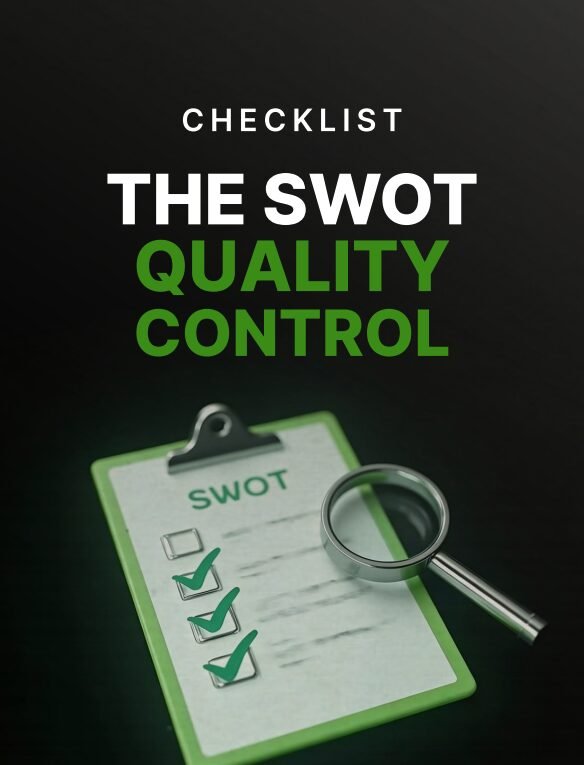
The SWOT Quality Control Checklist is a precision tool designed to audit and fix weak SWOT analyses before they turn into ineffective, generic strategies. It helps you identify critical red flags, eliminate noise, and transform your strategic planning into clear, actionable decisions.
Red flag detection frameworkto spot weak, vague, or unusable SWOT outputs.
Actionability filtersto convert insights into strategic direction.
Quality control checkpointsto ensure every point drives decisions, not just lists.
Instant PDF download • Secure checkout • 7-day refund
This item:The SWOT Quality Control Checklist
$3.00Original price was: $3.00.$2.55Current price is: $2.55.
$3.00
Frequently bought together to increase results. Buy 2+ and Save 15%
The SWOT Quality Control Checklist is built to solve a common but costly problem: SWOT analyses that look complete but fail to produce real strategy. This checklist gives you a structured way to audit your SWOT process, identify critical weaknesses, and refine your outputs into focused, decision-ready insights.
What You Get
Complete checklist (PDF)
Contents
1. Identifying non-actionable SWOT entries
2. Detecting vague, generic, or obvious statements
3. Eliminating internal-external confusion
4. Spotting duplication and low-value points
5. Ensuring strategic alignment and prioritization
6. Converting SWOT into actionable strategy triggers
Why This Checklist Matters
Most SWOT analyses fail not because the idea is wrong, but because the execution lacks discipline. Teams often produce long lists that feel comprehensive but offer no clear direction. The SWOT Quality Control Checklist introduces a filtering system that removes weak inputs and forces clarity, ensuring every point contributes to real strategic decisions.
Features
Structured audit checklist to validate SWOT quality
Clear evaluation criteria for actionable insights
Strategy-focused prompts to refine outputs
Who This Is For
Entrepreneurs and startup founders
Business students and strategy learners
Managers conducting planning sessions
Consultants improving client strategy outputs
Format & Delivery
Instant PDF download after purchase. The checklist link is sent to your email and can also be accessed in the My Books page.
Sample
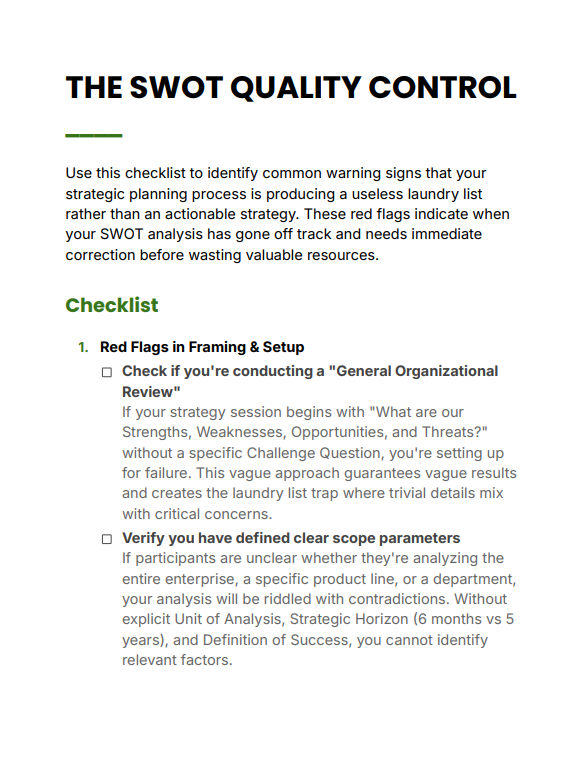
Preview a sample section above to see how the checklist works in practice.
Customer Guarantee
LearnStalk Promise: Instant PDF access • 7-day refund • Support via messaging. If you don’t find it useful, contact us and we’ll make it right.
FAQs
How will I receive the checklist? Instant PDF link after purchase; check spam if you don’t see the email. It is also available in the My Books page.
What format is included? PDF (printable and digital use).
Refund policy? 7-day refund policy — contact support with your order number.
Prompt Pack Overview
Build Your High-Ticket Service Business Prompts is a practical, strategy-driven AI prompt pack designed to help service professionals,…
Used to determine whether a user is included in an A / B or Multivariate test.
18 months
_ga
ID used to identify users
2 years
_gali
Used by Google Analytics to determine which links on a page are being clicked
30 seconds
_ga_
ID used to identify users
2 years
_gid
ID used to identify users for 24 hours after last activity
24 hours
_gat
Used to monitor number of Google Analytics server requests when using Google Tag Manager
1 minute
_gac_
Contains information related to marketing campaigns of the user. These are shared with Google AdWords / Google Ads when the Google Ads and Google Analytics accounts are linked together.
90 days
__utma
ID used to identify users and sessions
2 years after last activity
__utmt
Used to monitor number of Google Analytics server requests
10 minutes
__utmb
Used to distinguish new sessions and visits. This cookie is set when the GA.js javascript library is loaded and there is no existing __utmb cookie. The cookie is updated every time data is sent to the Google Analytics server.
30 minutes after last activity
__utmc
Used only with old Urchin versions of Google Analytics and not with GA.js. Was used to distinguish between new sessions and visits at the end of a session.
End of session (browser)
__utmz
Contains information about the traffic source or campaign that directed user to the website. The cookie is set when the GA.js javascript is loaded and updated when data is sent to the Google Anaytics server
6 months after last activity
__utmv
Contains custom information set by the web developer via the _setCustomVar method in Google Analytics. This cookie is updated every time new data is sent to the Google Analytics server.
2 years after last activity
SourceBuster is used by WooCommerce for order attribution based on user source.
Name
Description
Duration
sbjs_first
Traffic origin information for the visitor’s first visit to your store (only applicable if the visitor returns before the session expires)
session
sbjs_current
Traffic origin information for the visitor’s current visit to your store
session
sbjs_first_add
Timestamp, referring URL, and entry page for your visitor’s first visit to your store (only applicable if the visitor returns before the session expires)
session
sbjs_current_add
Timestamp, referring URL, and entry page for your visitor’s current visit to your store
session
sbjs_migrations
Technical data to help with migrations between different versions of the tracking feature
session
sbjs_session
The number of page views in this session and the current page path
30 minutes
sbjs_udata
Information about the visitor’s user agent, such as IP, the browser, and the device type