
Guide Overview
5-Minute Password Manager Setup Guide delivers a clear, step-by-step system to secure your digital accounts using a password manager. Designed for speed and simplicity, this guide shows you how to eliminate password reuse, generate strong credentials, and protect your online identity with minimal effort.
What You Get
- Complete setup guide (PDF)
Contents
- 1. Why passwords fail: risks of reuse and weak credentials
- 2. What is a password manager and how it works
- 3. Choosing the right password manager
- 4. Step-by-step setup in under 30 minutes
- 5. Generating and storing strong passwords
- 6. Auto-fill, syncing, and daily usage
- 7. Security best practices and common mistakes to avoid
Why This Guide Matters
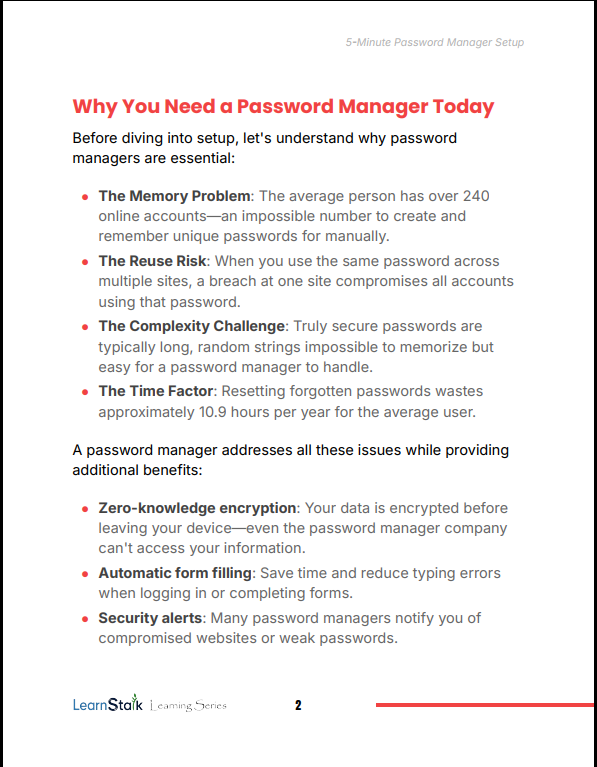
Most cyber attacks succeed not because systems are weak, but because passwords are. 5-Minute Password Manager Setup Guide removes this vulnerability by giving you a simple, reliable system to secure every account. Instead of memorizing dozens of passwords, you manage one secure key while the system handles the rest.
Features
- Fast implementation with minimal technical steps
- Beginner-friendly instructions with clear explanations
- Practical security framework for long-term protection
Who This Guide Is For
- Anyone managing multiple online accounts
- Students, professionals, and entrepreneurs online daily
- Users who want simple, effective cybersecurity without complexity
Format & Delivery
Instant PDF download after purchase. The guide link is sent to your email and can also be accessed in My Books page.
Sample
Preview key steps and setup flow in the sample section above.
Customer Guarantee
FAQs
- How will I receive the guide? Instant PDF link after purchase; check spam if you don’t see the email. Also accessible in My Books page.
- What format is included? PDF (standard).
- Do I need technical skills? No, the guide is beginner-friendly and step-by-step.
Price
$9.99 — Full Access