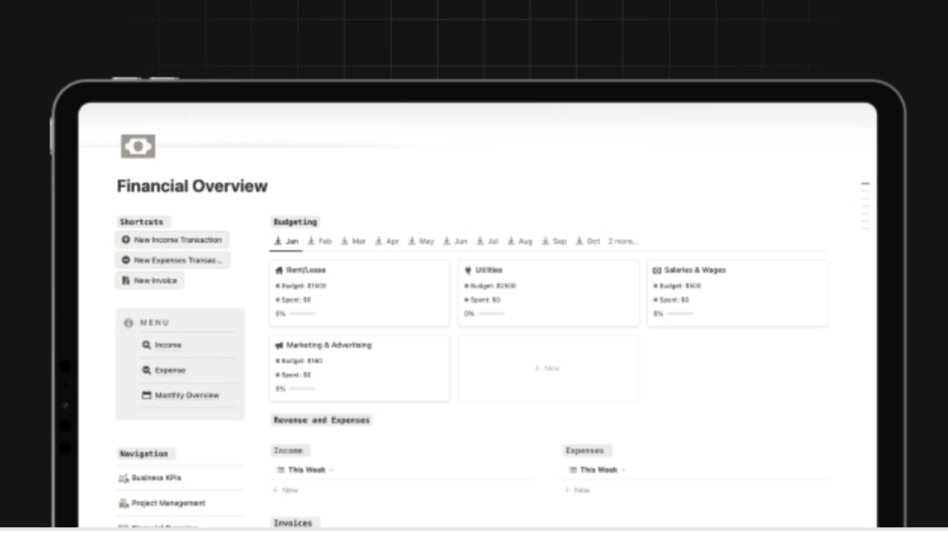
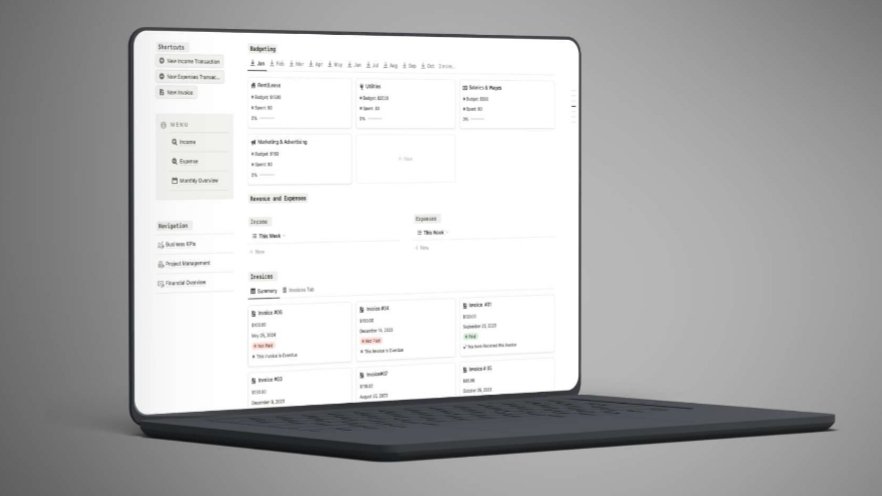
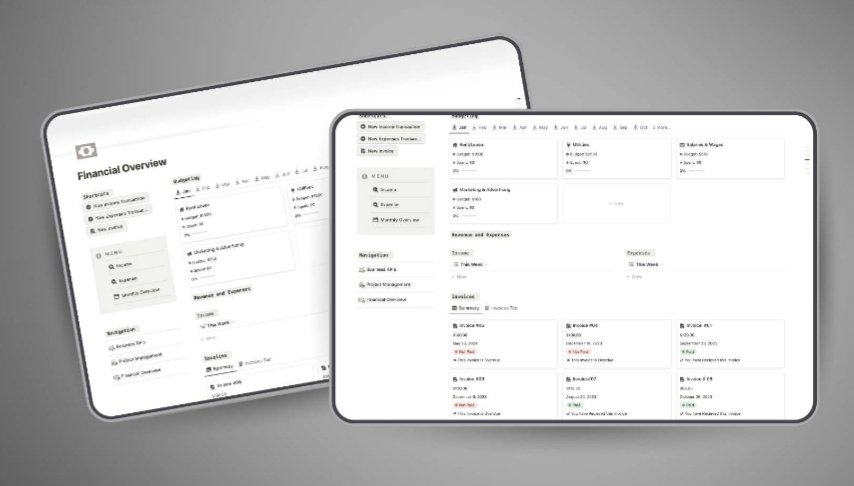
Cash-Flow-Focused Business Finance Tracker is a practical Notion system designed to help you track income, control expenses, and manage budgets with clarity. Built for entrepreneurs and small businesses, it gives you a real-time view of your cash flow so you can make smarter financial decisions and avoid surprises.
Structured income and expense trackingfor accurate financial records and insights.
Simple budget management systemto stay within financial limits.
Visual cash flow overviewto quickly identify trends and risks.
Cash-Flow-Focused Business Finance Tracker is a streamlined Notion template built to help you take full control of your business finances. It combines income tracking, expense logging, and budget management into one centralized system, giving you a clear and actionable view of your cash flow at all times.
Many businesses struggle with scattered financial records and unclear cash flow. Cash-Flow-Focused Business Finance Tracker eliminates that problem by centralizing everything into one clean system — helping you monitor spending, stay within budget, and make informed financial decisions without complexity.
Features
Real-time financial tracking for up-to-date insights
Clean and intuitive layout for ease of use
Visual budget monitoring to detect overspending early
All-in-one system replacing multiple tools
Who This Template Is For
Entrepreneurs managing business finances
Small business owners needing structure and clarity
Freelancers tracking income and expenses
Anyone who wants a simple, centralized finance system
Format & Delivery
Instant access to the Notion template after purchase. Duplicate into your workspace and start tracking immediately.
Sample
Preview screenshots available above.
Customer Guarantee
LearnStalk Promise: Instant access • 7-day refund • Support via messaging. If the template doesn’t deliver clear value, contact us and we’ll resolve it.
FAQs
How do I access the template? You’ll receive a Notion link after purchase. Duplicate it into your workspace.
Do I need Notion? Yes, a free Notion account is required.
Refunds? 7-day refund policy — contact support with your order number.
Template Overview
Never-Miss-a-Post Content Calendar is a powerful Notion template designed to streamline your content planning, scheduling, and tracking. It gives…
Used to determine whether a user is included in an A / B or Multivariate test.
18 months
_ga
ID used to identify users
2 years
_gali
Used by Google Analytics to determine which links on a page are being clicked
30 seconds
_ga_
ID used to identify users
2 years
_gid
ID used to identify users for 24 hours after last activity
24 hours
_gat
Used to monitor number of Google Analytics server requests when using Google Tag Manager
1 minute
_gac_
Contains information related to marketing campaigns of the user. These are shared with Google AdWords / Google Ads when the Google Ads and Google Analytics accounts are linked together.
90 days
__utma
ID used to identify users and sessions
2 years after last activity
__utmt
Used to monitor number of Google Analytics server requests
10 minutes
__utmb
Used to distinguish new sessions and visits. This cookie is set when the GA.js javascript library is loaded and there is no existing __utmb cookie. The cookie is updated every time data is sent to the Google Analytics server.
30 minutes after last activity
__utmc
Used only with old Urchin versions of Google Analytics and not with GA.js. Was used to distinguish between new sessions and visits at the end of a session.
End of session (browser)
__utmz
Contains information about the traffic source or campaign that directed user to the website. The cookie is set when the GA.js javascript is loaded and updated when data is sent to the Google Anaytics server
6 months after last activity
__utmv
Contains custom information set by the web developer via the _setCustomVar method in Google Analytics. This cookie is updated every time new data is sent to the Google Analytics server.
2 years after last activity
SourceBuster is used by WooCommerce for order attribution based on user source.
Name
Description
Duration
sbjs_session
The number of page views in this session and the current page path
30 minutes
sbjs_udata
Information about the visitor’s user agent, such as IP, the browser, and the device type
session
sbjs_first
Traffic origin information for the visitor’s first visit to your store (only applicable if the visitor returns before the session expires)
session
sbjs_current
Traffic origin information for the visitor’s current visit to your store
session
sbjs_first_add
Timestamp, referring URL, and entry page for your visitor’s first visit to your store (only applicable if the visitor returns before the session expires)
session
sbjs_current_add
Timestamp, referring URL, and entry page for your visitor’s current visit to your store
session
sbjs_migrations
Technical data to help with migrations between different versions of the tracking feature