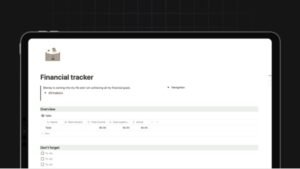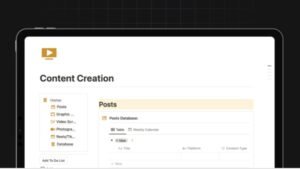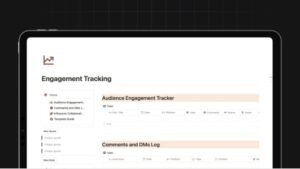

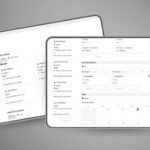
Freelancer Workflow & Income Planner is a complete Notion workspace designed to help freelancers manage clients, track projects, log billable hours, and handle invoices—all in one streamlined system. Built for efficiency and clarity, it transforms scattered tasks into a structured, professional workflow.
All-in-one freelancer dashboardto manage clients, projects, and tasks seamlessly.
Integrated time tracking & billing systemfor accurate income monitoring.
Freelancer Workflow & Income Planner is a powerful, structured Notion system built to simplify and professionalize freelance operations. From managing clients and tracking project progress to logging billable hours and organizing invoices, this template provides a centralized workflow that eliminates chaos and increases productivity.
What You Get
Fully structured Notion template
Client, project, and finance dashboards
Time tracking and invoice management systems
Core Features
Client & Project Management – organize clients, assign projects, and track progress in one place
Time Tracking & Billing – log work sessions and monitor billable hours with precision
Invoice Management – track payments, manage invoices, and reduce missed or overdue payments
Integrated Calendar – manage deadlines, schedules, and upcoming tasks visually
Task & Milestone System – break projects into actionable steps with priorities and tags
Why This Template Matters
Freelancers often lose time and income due to disorganized workflows, missed deadlines, and poor financial tracking. Freelancer Workflow & Income Planner solves this by creating a centralized system where everything—from client communication to payments—is tracked and optimized. This reduces friction, improves professionalism, and increases earning potential.
Features
Clean, professional layout for daily workflow clarity
Customizable structure to fit different freelance niches
Linked databases for seamless tracking across clients, tasks, and income
Who This Template Is For
Freelancers managing multiple clients and projects
Beginners who want a structured system from day one
Resellers offering productivity tools to freelance audiences
Format & Delivery
Instant access to the Notion template after purchase. Duplicate into your workspace and start using immediately.
Sample
Preview screenshots available above.
Customer Guarantee
LearnStalk Promise: Instant access • 7-day refund • Support via messaging. If you don’t see clear value, contact us and we’ll resolve it.
FAQs
How will I receive the template? You’ll get an instant Notion link after purchase to duplicate into your workspace.
Do I need Notion experience? Basic familiarity helps, but the template is beginner-friendly.
Refunds? 7-day refund policy — contact support with your order details.
Used to determine whether a user is included in an A / B or Multivariate test.
18 months
_ga
ID used to identify users
2 years
_gali
Used by Google Analytics to determine which links on a page are being clicked
30 seconds
_ga_
ID used to identify users
2 years
_gid
ID used to identify users for 24 hours after last activity
24 hours
_gat
Used to monitor number of Google Analytics server requests when using Google Tag Manager
1 minute
_gac_
Contains information related to marketing campaigns of the user. These are shared with Google AdWords / Google Ads when the Google Ads and Google Analytics accounts are linked together.
90 days
__utma
ID used to identify users and sessions
2 years after last activity
__utmt
Used to monitor number of Google Analytics server requests
10 minutes
__utmb
Used to distinguish new sessions and visits. This cookie is set when the GA.js javascript library is loaded and there is no existing __utmb cookie. The cookie is updated every time data is sent to the Google Analytics server.
30 minutes after last activity
__utmc
Used only with old Urchin versions of Google Analytics and not with GA.js. Was used to distinguish between new sessions and visits at the end of a session.
End of session (browser)
__utmz
Contains information about the traffic source or campaign that directed user to the website. The cookie is set when the GA.js javascript is loaded and updated when data is sent to the Google Anaytics server
6 months after last activity
__utmv
Contains custom information set by the web developer via the _setCustomVar method in Google Analytics. This cookie is updated every time new data is sent to the Google Analytics server.
2 years after last activity
SourceBuster is used by WooCommerce for order attribution based on user source.
Name
Description
Duration
sbjs_first
Traffic origin information for the visitor’s first visit to your store (only applicable if the visitor returns before the session expires)
session
sbjs_current
Traffic origin information for the visitor’s current visit to your store
session
sbjs_first_add
Timestamp, referring URL, and entry page for your visitor’s first visit to your store (only applicable if the visitor returns before the session expires)
session
sbjs_current_add
Timestamp, referring URL, and entry page for your visitor’s current visit to your store
session
sbjs_migrations
Technical data to help with migrations between different versions of the tracking feature
session
sbjs_session
The number of page views in this session and the current page path
30 minutes
sbjs_udata
Information about the visitor’s user agent, such as IP, the browser, and the device type
session
Marketing cookies are used to follow visitors to websites. The intention is to show ads that are relevant and engaging to the individual user.
Name
Description
Duration
affwp_ref
Stores the referring affiliate ID for commission attribution.
1 day
affwp_ref_visit_id
Stores the visit ID linked to the referring affiliate.
1 day
affwp_campaign
Stores the affiliate campaign name for tracking purposes.